

📝 Receptionist Resume: Land the Interview Now
A clear, practical guide to creating a strong receptionist resume or administration resume that stands out to potential employers.
A receptionist is more than the person at the front desk — they’re the face of the business, a communicator, and an essential part of office administration. Your receptionist resume must show that you’re detail oriented, great with administrative tasks, and confident managing schedules, customers, and technology.
This guide will help you create a receptionist resume with strong bullet points, a standout skills section, and a clean layout that makes your resume stand above competitors.
⭐ What This Guide Covers
Everything you need to make your receptionist resume shine — whether you’re new or an experienced administrative professional.
You’ll learn:
✔ Professional receptionist resume bullet points
For entry-level, medical, hotel, corporate, admin, and front desk roles.
✔ How to write a strong summary
That positions you as the right fit for any receptionist role.
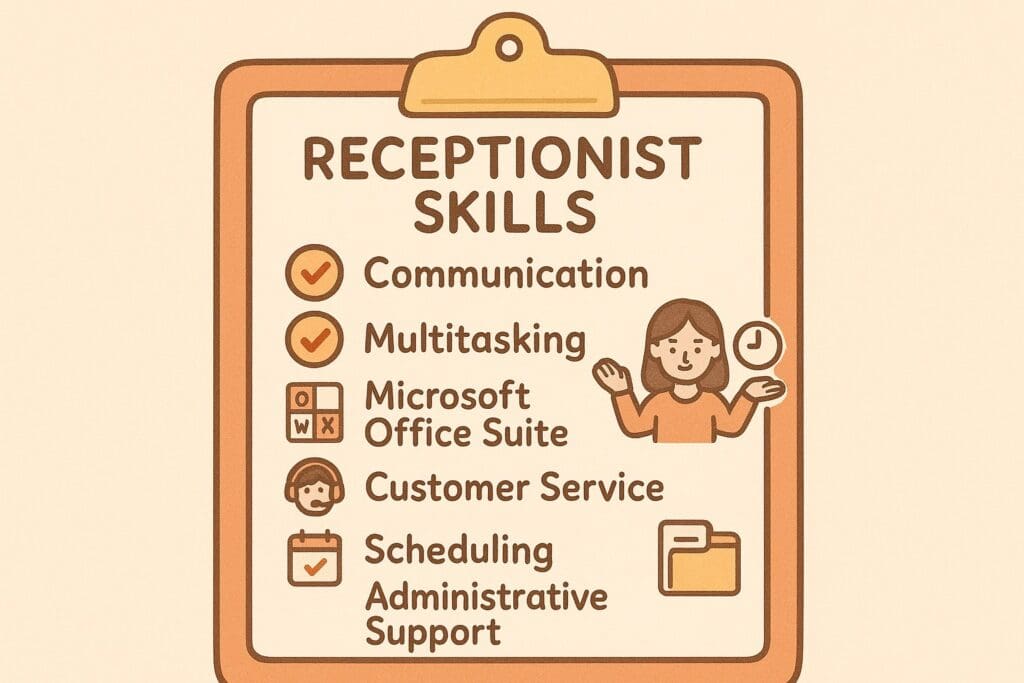
✔ A high-value receptionist skills section
Soft skills, technical skills, communication skills, and administrative support strengths.
✔ Measurable achievements to stand out
Because numbers help your resume stand stronger and catch the eye of potential employers.
✔ A clean, ATS-friendly structure
Perfect for passing resume screening software and ensuring your resume stands out.
✨ Why a Strong Receptionist Resume Matters
Hiring managers skim resumes in seconds. Your resume must quickly show:
- Customer service skills
- Communication skills
- Attention to detail
- Ability to perform administrative tasks
- Strong office management skills
- Experience with microsoft office suite
- Scheduling and calendar management
- Confidence supporting administrative professionals and executives
- Professionalism in the receptionist role
When your resume builder for receptionist roles focuses on clarity, results, and clean formatting, you instantly elevate your chances of an interview.
✨ Ready to create your receptionist resume quickly? Use our resume builder for receptionist roles and build a professional, ATS-ready resume in minutes.
⭐ Receptionist Resume Examples (All Levels + Industries)
Sarah Mitchell
Receptionist • Chicago, IL
Email: sarah.mitchell.office@gmail.com • Phone: (312) 555-4822
Profile
Organized receptionist with strong attention to detail. Skilled in scheduling, document preparation, office support, and improving workflow efficiency.
Experience
Receptionist – Lakeshore Community Services (2020–2024)
Managed calendars, processed documentation, improved filing efficiency 30%, assisted team of 12.
Office Assistant – Westfield Consulting Group (2017–2020)
Coordinated meetings, handled correspondence, prepared reports, maintained 98% task accuracy.
Education
Associate Degree in Business Administration – Harold Washington College (2015–2017)
High School Diploma – Lane Tech College Prep (2011–2015)
Skills
Scheduling • Microsoft Office • Data Entry • Customer Service • Document Management • Calendar Coordination
Certificates
Administrative Support Certification – American Management Association (2018)
📥 Download your FREE receptionist resume template and start customising it with your own skills, achievements, and administrative tasks.
These examples show exactly how administrative support and customer service skills should appear on a modern receptionist resume.
⭐ 1. Entry-Level Receptionist (No Experience)
Professional Summary
Motivated and detail oriented professional with strong communication skills and customer service experience. Seeking a receptionist role where I can support office administration, perform administrative tasks, and deliver excellent service to visitors and clients.
Sample Bullet Points
- Greeted customers and provided clear information at a busy front desk
- Managed schedules and supported daily administrative tasks
- Organized digital files, paperwork, and reception area materials
- Processed payments and maintained accurate records
- Recognized by supervisors for professionalism and attention to detail
⭐ 2. Medical Receptionist Resume Example
- Checked in 70–100 patients daily and managed confidential contact information
- Updated EMR systems with high accuracy
- Assisted patients with travel arrangements and follow-up appointment coordination
- Verified insurance/Medicare details and supported billing
- Ensured excellent customer service skills while maintaining privacy standards
⭐ 3. Hotel Receptionist Resume Example
- Managed guest check-ins/outs, bookings, and room allocations
- Handled 200+ weekly reservations while performing administrative support duties
- Boosted guest satisfaction by 12% with prompt problem resolution
- Coordinated travel arrangements for guests and managed concierge inquiries
- Maintained smooth office administration behind the front desk
⭐ 4. Corporate Receptionist Resume Example
- Managed a 10+ line phone system and routed 150+ calls daily
- Scheduled meetings and supported office management tasks
- Greeted visitors and managed security sign-in procedures
- Prepared meeting rooms, handled A/V setups, and organized catering
- Supported executives with administrative assistant duties
⭐ 5. Front Desk Receptionist Resume Example
- Welcomed visitors and provided customer service support
- Scheduled appointments using Outlook and managed daily calendars
- Sorted mail, deliveries, and courier pickups
- Completed document filing, scanning, and general office administration
- Maintained an organized, professional reception area
⭐ 6. Administrative Receptionist Resume Example
- Managed office schedules and coordinated staff travel arrangements
- Implemented filing improvements that reduced search time by 60%
- Assisted with administrative support and administrative tasks across multiple departments
- Processed invoices and supported accounts admin
- Assisted HR with onboarding and contact information updates
If you’re starting with little or no office background, follow our Resume With No Experience Guide
🎯 Understanding the Receptionist Role
Today’s administrative professionals working in a receptionist role handle:
- Visitors
- Calls
- Scheduling
- Office management
- Administrative tasks
- Email communication
- Supplier coordination
- Internal team support
You must show that you can keep the workplace running smoothly.
👋 Greeting Visitors
You’re the first point of contact. Make sure your receptionist resume highlights:
- Customer service skills
- Soft skills like friendliness and calmness
- Communication skills
- Office management awareness
- Professional appearance and behaviour

📞 Managing Phone Calls
Recruiters want to see clear experience handling:
- Multi-line phone systems
- Call routing
- Message-taking
- Communication with clients and staff
- VoIP tools
- Microsoft Office Suite (Outlook calendars & email)
Example metric:
“Managed 100+ calls daily with 99% message accuracy.”
📅 Scheduling, Mail & Administrative Tasks
You should show experience with:
- Managing schedules
- Booking rooms & meetings
- Handling office mail
- Maintaining office supplies
- Supporting administrative assistant teams
- Coordinating travel arrangements
- Document preparation
Impact example:
“Reduced supply overspending by $500/month by improving stock tracking.”

✍️ Writing a Strong Professional Summary
A great summary highlights:
- Your experience level
- Soft skills & communication skills
- Office administration strengths
- Customer service skills
- Administrative support experience
- Results you’ve achieved
🛠️ Receptionist Skills Section
Include a mix of:
⭐ Soft Skills
- Professional communication
- Customer service
- Time management
- Multitasking
- Attention to detail
- Problem-solving
⭐ Technical / Admin Skills
- Microsoft Office Suite
- Google Workspace
- CRM/EMR systems
- Email management
- Office management
- Data entry & filing
- Managing schedules
These help potential employers see exactly what you can do.
⚡ Want a stronger skills section? Generate a personalised receptionist skills list based on your experience level with one click.
💼 Tailoring Your Resume
Tailor your administration resume to the receptionist role by:
✔ Matching keywords from job ads
✔ Highlighting administrative support tasks
✔ Creating bullet points with measurable achievements
✔ Showing your office administration workflow
Hiring managers want clarity.
🧾 Strong Receptionist Achievements
- Increased visitor satisfaction from 4.3 to 4.9 stars
- Handled 120+ calls per day
- Eliminated scheduling errors across multiple teams
- Streamlined mail processing by 25%
- Improved filing systems and reduced search time
These make your resume stand out instantly.
📌 Receptionist Resume Layout
- An ATS-friendly layout for a receptionist or administrative assistant:
- Contact Information
- Professional Summary
- Skills Section
- Work Experience
- Administrative Tasks & Achievements
- Software & Tools
- Education
- Certifications
❌ Common Mistakes to Avoid
- Decorative templates that break ATS
- No measurable bullet points
- Vague skill descriptions
- Missing contact information
- Not listing software (especially Microsoft Office Suite)
- No office management or administrative tasks listed
⭐ Deep Dive: How to Build a Receptionist Resume That Truly Stands Out
Creating a receptionist resume that lands interviews requires more than simply listing job duties. A high-performing receptionist resume must strategically showcase your strongest communication skills, administrative tasks, customer service abilities, and office management strengths in a way that appeals to both hiring managers and Applicant Tracking Systems (ATS). This deeper section will walk you step-by-step through the essential elements that transform an average administration resume into a polished, interview-ready document employers will notice immediately.
Whether you are new to office administration or you’re an experienced administrative professional, mastering this deeper strategy will help you stand out in a competitive job market.
⭐ Understanding What Employers Really Look For in a Receptionist
A receptionist is the first impression of a company. Employers look for someone who is dependable, organised, and professional. Your receptionist resume must show that you handle the receptionist role with confidence and authority.
Hiring managers want candidates who can:
- Communicate clearly with clients, staff, and visitors
- Manage schedules without confusion
- Handle busy phone lines and routing
- Complete administrative tasks with high accuracy
- Use Microsoft Office Suite and scheduling programs
- Maintain professionalism under pressure
- Support administrative professionals and management teams
- Maintain privacy, confidentiality, and process compliance
Your administration resume should reflect these responsibilities through specific examples, measurable results, and clear bullet points.
⭐ Building a Receptionist Resume That Sells Your Value
To create a receptionist resume that stands strong, focus on clarity, structure, and strategic keyword placement. The best resume builder for receptionist roles will follow these steps.
1. Start With a Clear, Keyword-Rich Summary
Your professional summary sits at the top of your resume and immediately tells potential employers why you are a strong fit for the receptionist role.
A strong summary includes:
- Your level of experience
- Core communication skills
- Customer service strengths
- Administrative support abilities
- Tools or systems you’re confident using
- What makes you detail oriented
Example:
“Detail oriented receptionist with strong communication skills, customer service strengths, and hands-on experience managing schedules, phone systems, and office administration tasks. Skilled in Microsoft Office Suite, visitor management, and front desk coordination.”
This immediately positions you as someone who understands the demands of the receptionist role.
2. Organise Your Skills Section Into Soft Skills + Technical Skills
Your skills section is one of the most important parts of your receptionist resume. It helps hiring managers scan your qualifications quickly and allows ATS to detect relevant keywords.
Here’s how to divide your skills section:
⭐ Soft Skills (People-Facing)
These reflect your communication skills, customer service skills, and emotional intelligence.
- Professional communication
- Customer service
- Time management
- Multitasking
- Conflict resolution
- Attention to detail
- Problem-solving
- Office professionalism
⭐ Technical Skills (Task-Facing)
These reflect your confidence with administrative tasks and office management systems.
- Microsoft Office Suite
- Google Workspace
- Reception or phone switchboard tools
- CRM software
- EMR (for medical reception)
- Data entry
- Email management
- Scheduling tools (Outlook, Calendly)
- File organisation systems
This balanced skills section makes you stand out as a well-rounded administrative assistant or receptionist.
3. Write Bullet Points That Show Real Contribution
One of the most common mistakes in receptionist resumes is using vague bullet points such as “answered phones” or “greeted visitors.” These do not help you stand out. Employers want bullet points that demonstrate:
- Responsibility
- Initiative
- Accuracy
- Efficiency
- Customer service strengths
- Communication skills
- Administrative support
- Office management improvements
Use this formula:
Action Verb + Task + Result
Examples:
- “Managed 100+ incoming calls per day using a multi-line phone system with 99% accuracy.”
- “Improved visitor check-in flow by 20% through updated communication and sign-in processes.”
- “Supported administrative professionals by organising schedules for 10+ staff members with zero conflicts.”
- “Enhanced office management by streamlining supply tracking and reducing overspending by $400 per month.”
- “Provided administrative support by preparing documents, sorting mail, and coordinating meeting rooms daily.”
These types of bullet points strengthen your receptionist resume significantly.
🔥 Not sure how to phrase your administrative tasks? Use our bullet-point generator to turn basic duties into strong, measurable achievements.
4. Use Metrics to Prove Your Success
Measurable achievements are one of the biggest differences between a basic and advanced receptionist resume. Numbers show employers the scale of your work and the impact you create.
Examples of metrics to include:
- Number of calls answered
- Number of visitors assisted
- Accuracy percentages
- Improvements in efficiency or satisfaction
- Money saved
- Time saved
- Decreases in errors
- Volume of administrative tasks handled
When a resume includes numbers, it becomes instantly more credible.
5. Show Administrative Tasks Clearly and Professionally
Since administrative tasks are at the core of the receptionist role, highlight them clearly.
Include tasks such as:
- Filing, data entry, and digital organisation
- Booking rooms, meetings, and schedules
- Assisting management and administrative professionals
- Handling office supplies and ordering stock
- Preparing documents, forms, and materials
- Processing incoming and outgoing mail
- Supporting administrative assistant duties
- Maintaining accurate contact information
These tasks show you are capable of supporting a busy office.
6. Demonstrate Strong Technology Skills
Receptionists must confidently use multiple digital tools throughout the day. List the tools you’ve used to show employers you can adapt quickly.
Include:
- Outlook calendars
- Microsoft Office Suite
- Google Workspace
- Phone routing systems
- CRM databases
- EMR systems (medical)
- Booking and scheduling tools
- Digital filing systems
- VoIP calling tools
This shows your administration resume is suited for modern office environments.
7. Highlight Your Customer Service and Communication Strengths
Communication is the foundation of the receptionist role. Employers want someone who can speak professionally, manage expectations, and remain calm under pressure.
Show strengths such as:
- Greeting visitors courteously
- Providing accurate information
- Managing difficult calls
- Handling complaints with diplomacy
- Clear written communication
- Professional phone etiquette
These skills help you stand out as a receptionist who can represent the company well.
8. Add a Section for Tools, Software & Office Systems
This section shows you are prepared for office management tasks and can adapt easily to a new workplace.
Examples to include:
- Microsoft Word, Excel, PowerPoint
- Outlook email & calendars
- Shared drives
- CRM software
- EMR databases
- Meeting room scheduling tools
- Printer/Scanner systems
This builds trust that you can handle administrative support tasks without constant supervision.
⭐ Turning Transferable Experience Into Receptionist Strengths
Not everyone begins their career in a receptionist role. If you come from hospitality, retail, call centres, or customer service, you already have skills that transfer perfectly into office administration.
Here’s how to translate past experience:
| Past Role | Transferable Skill | How to Phrase It on a Resume |
| Retail Assistant | Customer service | “Provided clear, friendly service to 100+ customers per shift.” |
| Call Centre Agent | Communication skills | “Handled 80+ inbound calls daily with professional phone etiquette.” |
| Hospitality Worker | Multitasking | “Managed multiple guest requests simultaneously in a fast-paced environment.” |
| Cashier | Accuracy & detail oriented | “Processed payments with 100% accuracy and maintained clean records.” |
A resume builder for receptionist roles should always help you extract these strengths.
⭐ Final Resume Enhancements That Make a Big Difference
To polish your receptionist resume, make sure you:
- Use professional fonts and formatting
- Avoid templates with heavy graphics (ATS issues)
- Keep margins clean
- Use consistent bullet style
- Include measurable results
- Proofread for accuracy
- Save as PDF
These small improvements help your resume stand out.
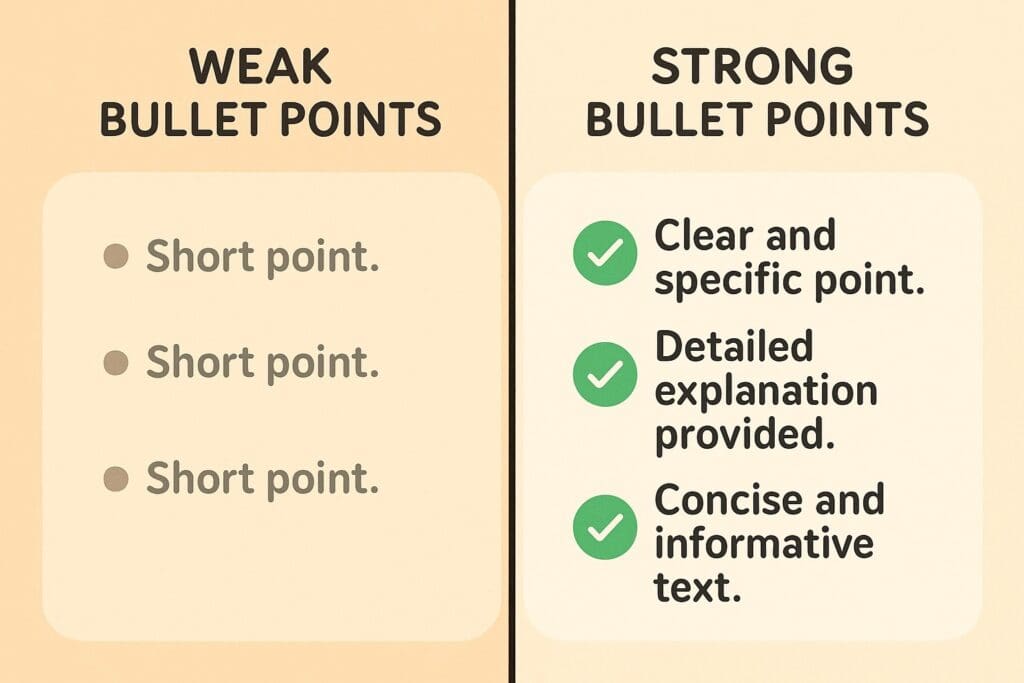
📘 Strong vs Weak Bullets
❌ “Answered phones.”
✔ “Managed 100+ daily calls across departments with a 99% accuracy rate.”
❌ “Greeted visitors.”
✔ “Assisted visitors, improved check-in flow by 20% through updated processes.”
❌ “Scheduled appointments.”
✔ “Managed schedules for 10+ staff with zero conflicts.”
To avoid common errors, review our Master Your Job Search: Resume Errors and Fixes for 2026 guide.
🎓 Education + Bonus Sections
Include:
- Courses in customer service, communication skills, office administration
- Typing speed
- Languages
- Volunteer work
- Admin workshops
🧭 Receptionist Resume for Beginners
Transferable skills from:
- Retail
- Hospitality
- Cashiering
- Customer service
- Volunteering
- Call centres
All count as administrative support experience.
🧩 Final Checklist
✔ Professional contact information
✔ Resume stands out with measurable achievements
✔ Clean, modern formatting
✔ Strong skills section
✔ Soft skills + technical skills included
✔ Bullet points only
✔ Saved as PDF
📝 Want expert eyes on your receptionist resume? Upload it for a FREE resume review and receive personalised improvement suggestions.
⭐ FAQ: Receptionist Resume Guide
1. What should a receptionist put on their resume?
A receptionist resume should include your contact information, a professional summary, a strong skills section, relevant work experience, administrative tasks, measurable achievements, software knowledge (like Microsoft Office Suite), education, and any certifications. Focus on communication skills, customer service skills, and administrative support experience.
2. How do I write a receptionist summary with no experience?
If you’re entry-level, focus on your transferable skills—such as communication, customer service, organisation, and attention to detail. Mention any experience from retail, hospitality, volunteering, call centres, or school that shows you can handle a receptionist role.
Example:
“Motivated and detail oriented individual with strong communication and customer service skills. Eager to support office administration, manage schedules, and assist visitors in a receptionist role.”
3. What skills do employers want in a receptionist?
Employers look for a combination of soft skills and technical skills:
Soft Skills:
- Communication
- Customer service
- Multitasking
- Time management
- Problem-solving
- Professional attitude
Technical Skills:
- Microsoft Office Suite
- Outlook calendars
- Phone systems
- CRM software
- Data entry
- Email management
4. How do I make my receptionist resume stand out?
Use measurable achievements to show impact. Instead of writing “answered phones,” write something like:
✔ “Managed 100+ calls per day across multiple departments with 99% accuracy.”
Add metrics, highlight your software skills, and keep your format clean and ATS-friendly.
5. What are good achievements for a receptionist resume?
Here are strong, measurable examples:
- Increased visitor satisfaction score from 4.3★ to 4.8★
- Reduced scheduling conflicts by 30%
- Handled 150+ calls daily
- Improved office filing system and cut search time by 60%
- Streamlined mail processing and reduced delays
Achievements help your resume stand out instantly.
6. Should I include customer service experience on my receptionist resume?
Yes — customer service experience is extremely valuable for receptionists. Retail, hospitality, call centres, and cashier roles all demonstrate communication skills and your ability to assist people. These are transferable and relevant.
7. Do I need certifications for a receptionist job?
They’re not required but can help you stand out. Useful certifications include:
- Certificate III in Business Administration
- Customer service training
- Microsoft Office Suite short courses
- Front desk or reception training
- Medical reception courses (for clinics and hospitals)
8. What format should a receptionist resume use?
Use a simple, clean layout with:
- Clear headings
- Bullet points
- Left-aligned text
- No fancy graphics or columns
This ensures your resume passes ATS screening and remains easy for hiring managers to read.
9. How long should a receptionist resume be?
Most receptionist resumes should be 1 page. If you have 10+ years of administrative experience, you may extend it to 2 pages, but only if every section adds clear value.
10. What keywords should I add to my receptionist resume?
Here are essential receptionist and administration keywords:
- Receptionist
- Administrative support
- Customer service
- Phone systems
- Microsoft Office Suite
- Managing schedules
- Office management
- Communication skills
- Administrative tasks
- Data entry
- Calendar management
- Front desk
Using these helps your resume rank higher in ATS systems.
🚀 Final Encouragement
A strong receptionist resume blends customer service skills, communication skills, administrative support, and office administration. With the right bullet points, a focused skills section, and professional formatting, your administration resume will stand out to potential employers and get you interviews.
You’re ready — let’s make your receptionist role applications shine.
—————————————————————————————————————-
Renae Guttie – Market Research Specialist
Renae Guttie is a versatile and outgoing professional specializing in high-volume public engagement, sales operations and marketing. With extensive experience in market research, telefundraising, and call centre management.

